
To update the settings of the questionnaire, click on the Settings
button located at the top right of the page.

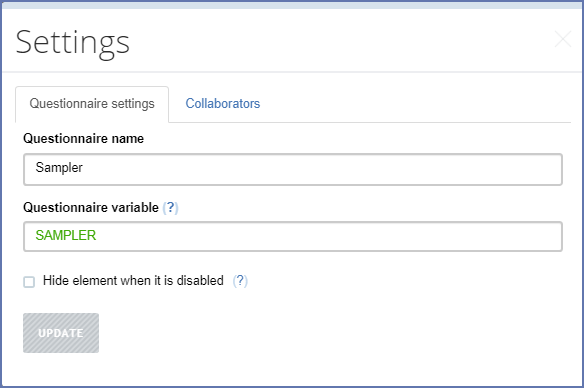
The settings of a questionnaire contain these parameters:
- Questionnaire name - a visible (human-readable) name of the questionnaire, which may be in any language and contain multiple words, though it is still a good idea to keep it short.
- Questionnaire variable - a name that will be assigned to the main data file when this questionnaire is exported. It must satisfy the requirements for variable names applicable throughout the questionnaire.
- Hide element when it is disabled - a flag that enforces all disabled elements in the questionnaire to be hidden when disabled regardless of their individual visibility settings (hide-if-disabled flag).
- a machine-readable (QR-code) questionnaire address at the Designer site. Scan this QR-code in the Tester application to download and test the questionnaire on a mobile device. This address is automatic (not changeable).
Click SAVE button if you want any of your changes to questionnaire
settings preserved or CANCEL to exit back to questionnaire editing.
One can also control the collaboration through the Access tab present in this
dialog. This is described in
sharing a questionnaire.